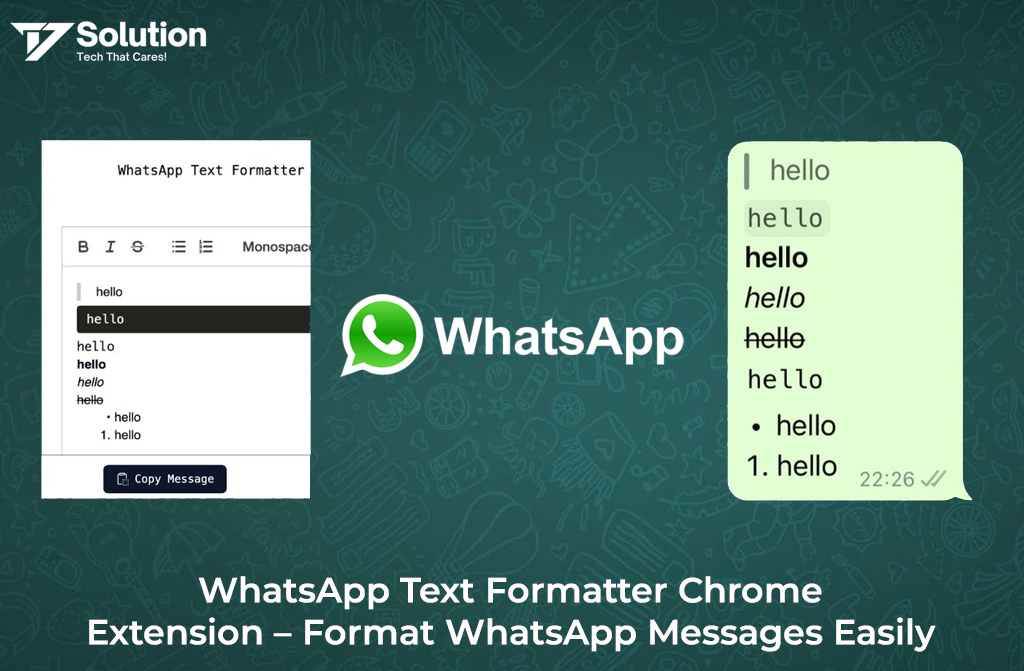
WhatsApp Text Formatter Chrome Extension makes it easy to format messages on WhatsApp Web using bold, italic, strikethrough, and monospace text. Designed for professionals and businesses, this Chrome extension helps you send clearer, more attractive, and more impactful WhatsApp messages in seconds.
This extension allows you to format WhatsApp messages instantly with bold, italic, strikethrough, monospace, and stylish text — all with just a few clicks.
👉 Install Now:
https://chromewebstore.google.com/detail/whatsapp-text-formatter/kojiadifmpfeikldbgbhgoecbncpdjgf
What Is WhatsApp Text Formatter Chrome Extension?
WhatsApp Text Formatter is a lightweight and user-friendly Chrome extension designed to enhance your WhatsApp Web experience. It helps you convert normal text into professionally formatted messages without remembering complex shortcuts or symbols.
Whether you are:
This extension makes your communication clear, attractive, and impactful.
Key Features of WhatsApp Text Formatter
✅ Bold Text – Highlight important words
✅ Italic Text – Add emphasis naturally
✅ Strikethrough Text – Show edits or offers
✅ Monospace Text – Perfect for code & data
✅ Stylish Formatting – Make messages stand out
✅ One-Click Copy – Paste directly into WhatsApp
✅ Works with WhatsApp Web
✅ Fast, Lightweight & Secure
No login. No data tracking. Just pure productivity.
Why Use WhatsApp Text Formatter?
Typing special characters like *, _, or ~ every time is frustrating and error-prone.
Our Chrome extension:
- Saves time
- Reduces mistakes
- Improves message clarity
- Makes chats more professional
- Boosts response rates for businesses
If you communicate daily on WhatsApp, this tool is a must-have.
How to Use WhatsApp Text Formatter Extension?
Using the extension is super simple 👇
Install the extension from Chrome Web Store
Open WhatsApp Web
- Type your message in the formatter box
Select formatting (Bold / Italic / etc.)
- Copy & paste formatted text into WhatsApp
That’s it! ✨
Who Should Use This Extension?
- Business Owners
- Sales & Marketing Teams
- Customer Support Agents
- Freelancers
- Digital Agencies
- WhatsApp Power Users
Anyone who wants clean, readable, and professional messages.
Benefits for Businesses
Perfect for WhatsApp marketing, CRM conversations, and support chats.
Is WhatsApp Text Formatter Free?
Yes! 🎉
The extension is 100% free to use with no hidden charges.
Download Chrome Extension
👉 Install from Chrome Web Store: https://chromewebstore.google.com/detail/whatsapp-text-formatter/kojiadifmpfeikldbgbhgoecbncpdjgf
Start formatting your WhatsApp messages smarter and faster today.
Final Thoughts
Clear communication builds trust.
Formatted messages create impact.
With WhatsApp Text Formatter Chrome Extension, you can upgrade your WhatsApp conversations effortlessly — whether for business or personal use.
Install it once, and you’ll never go back to plain text again.
About the Developer
This is developed by T7 Solution, a software development company known for creating practical, easy-to-use tools that improve daily business communication and productivity.